
Cleaning business software
For the business behind every clean.
Take bookings online, send the job to your cleaner's phone, invoice the moment it is finished, and see who still owes you. One place, no spreadsheet.
Free for 14 days. No card needed. Cancel anytime.
How it works
One day, start to finish
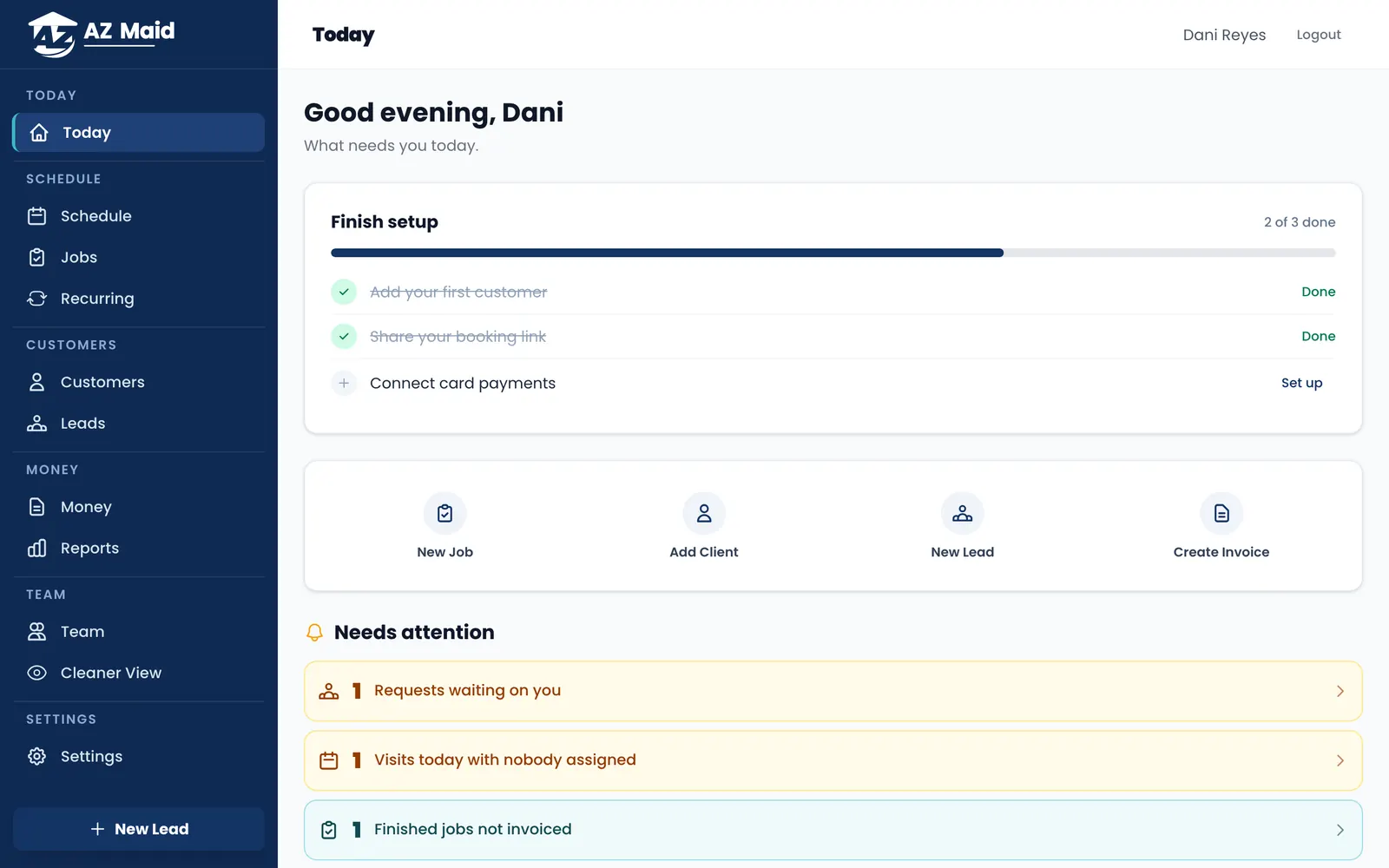
Five screens, in the order the work happens. Every picture below is a photograph of the software you get, not a drawing of it.
01 · Request
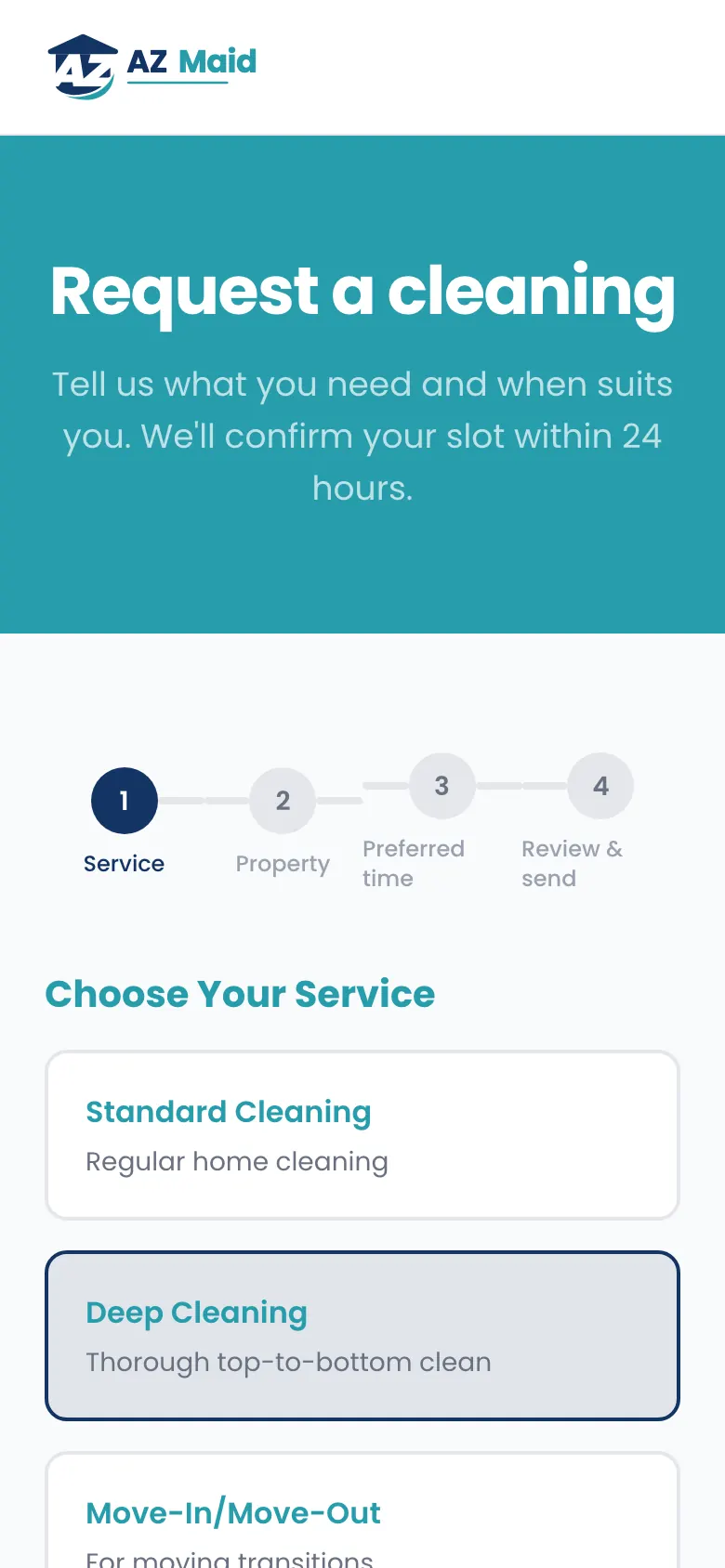
A customer books at 11pm. You are asleep.
Your booking page asks for the address, the size of the place and the date they want.
It arrives as a request with a price estimate attached, waiting for you to confirm.
02 · Book
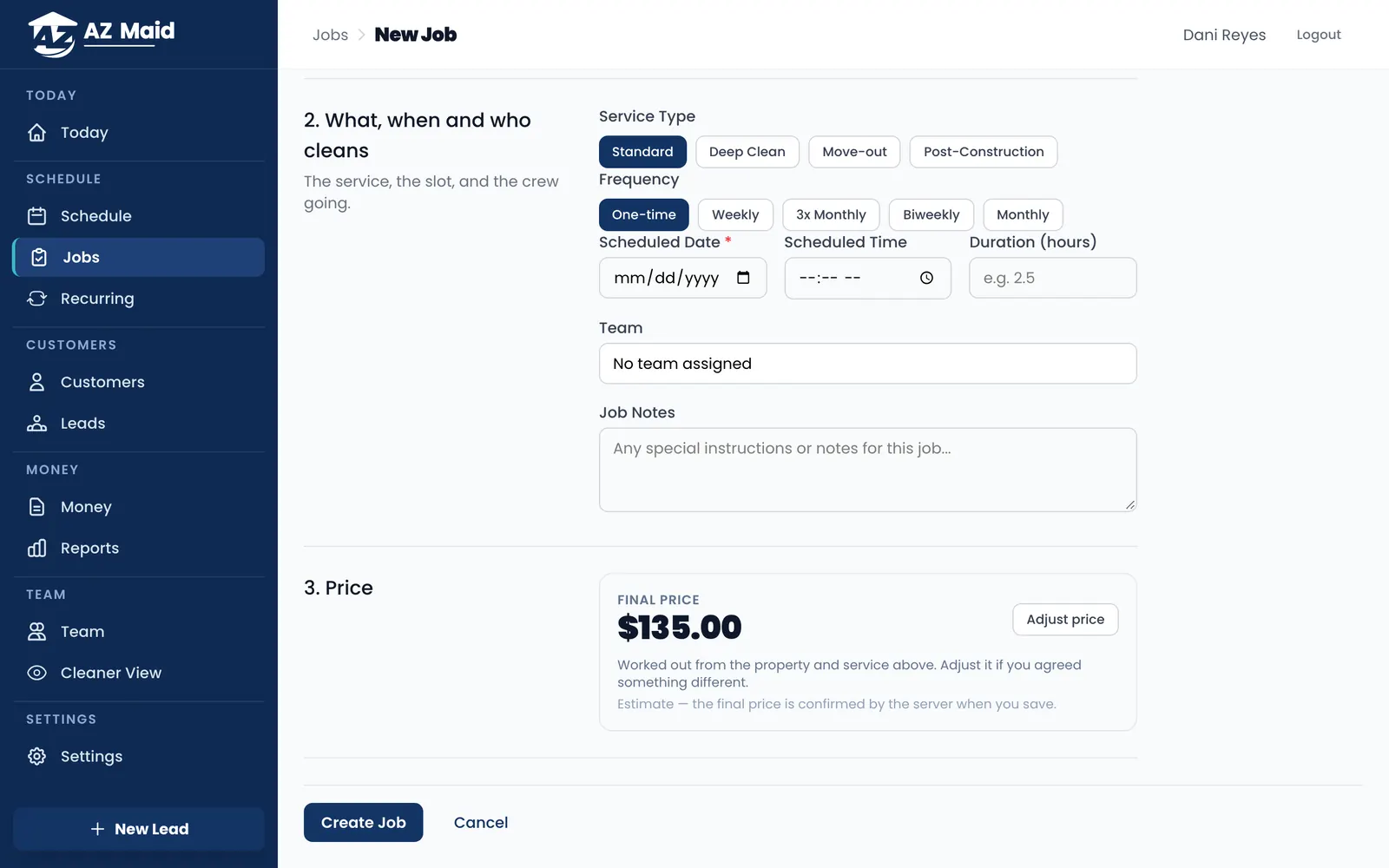
Booking one yourself is three decisions
Who and where. What, when and who cleans. Then the price.
The price comes from your own rates, by square foot, by the hour or flat.
03 · Clean
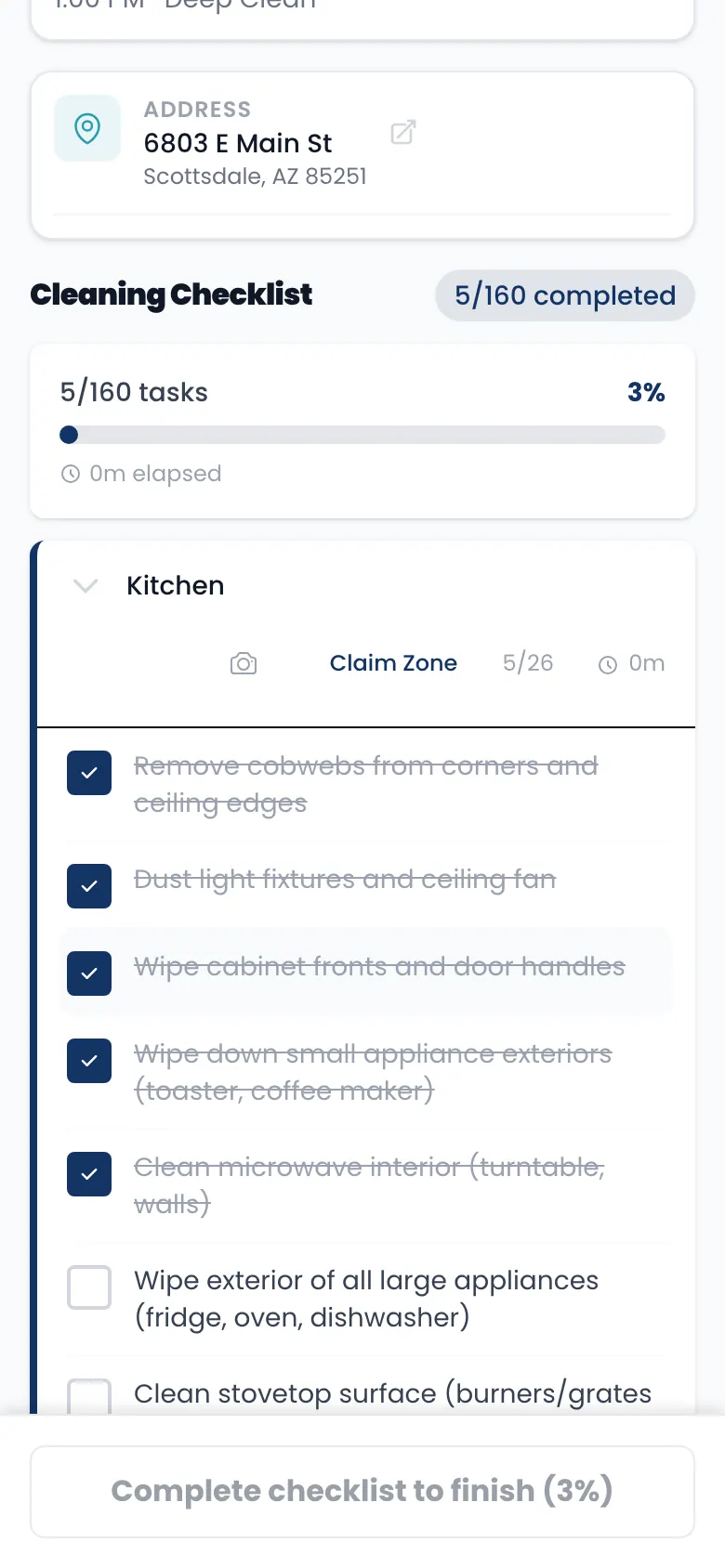
Your cleaner runs the job from their phone
Tap Start, work down the checklist zone by zone, add photos, tap Finish.
They see the address and the tasks. They never see your prices.
04 · Invoice
The invoice goes out and gets paid
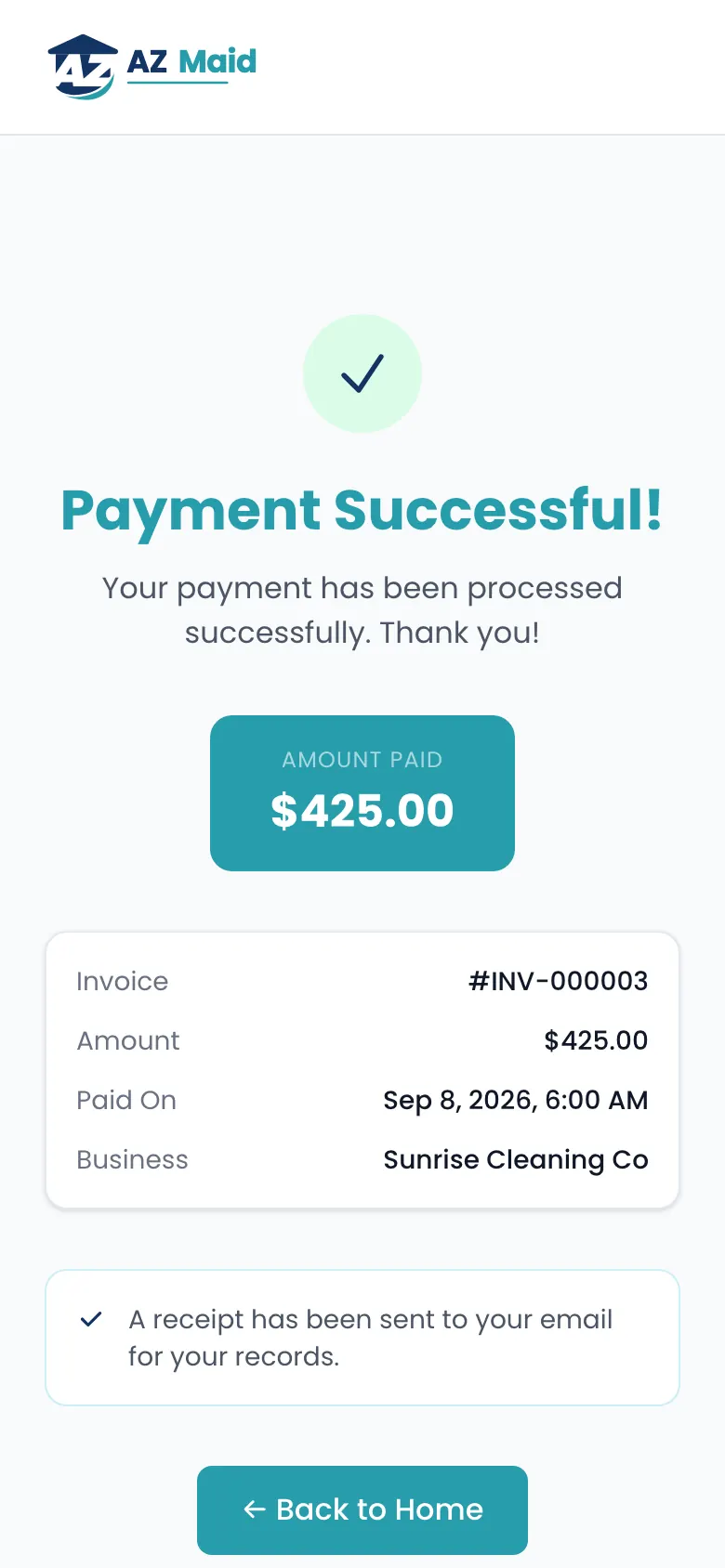
Finishing a job draws up the invoice. Connect your Stripe account and the customer pays by card from a link.
They get a receipt, and the invoice marks itself paid.
05 · Money
You always know who owes you what
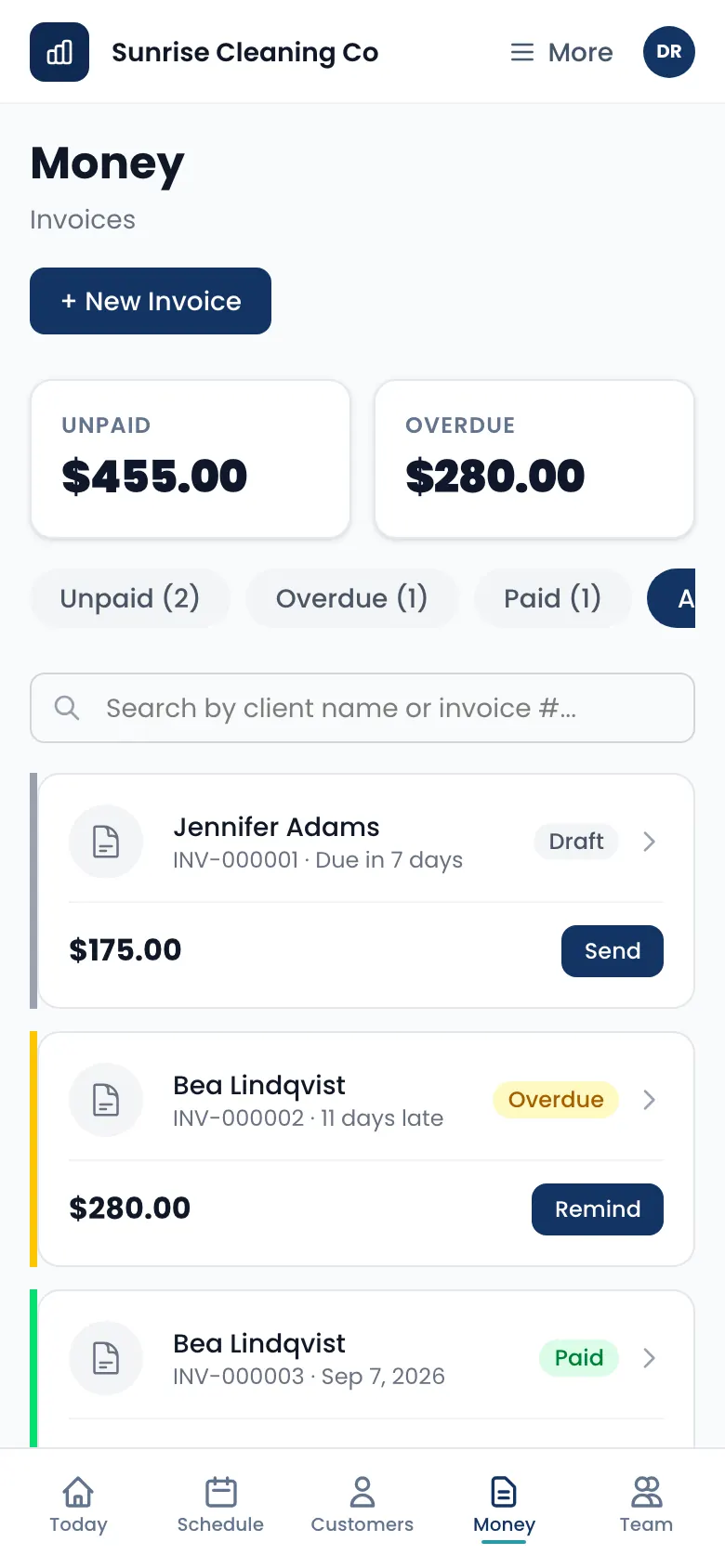
Money is three queues, unpaid, overdue and paid, with the totals on top.
Every row carries the one action it needs: send it, or chase it.
Everyone sees their own job
Three roles, and you decide who holds which. Nobody has to be told which screens not to open.
- Owner
- Full access to settings, financial reports, pricing rules, and global dashboards.
- Manager
- Handles daily operations, dispatching, and client management. Cannot alter core pricing.
- Cleaner
- Access limited to assigned jobs and checklists. Zero financial visibility.
Try it on this week's jobs
Plans start at $29.99 a month.
Free for 14 days. No card needed. Cancel anytime.